
416 lines
12 KiB
Markdown
416 lines
12 KiB
Markdown
# Penpot MCP Server 🎨🤖
|
|
|
|
<p align="center">
|
|
<img src="images/penpot-mcp.png" alt="Penpot MCP Logo" width="400"/>
|
|
</p>
|
|
|
|
<p align="center">
|
|
<strong>AI-Powered Design Workflow Automation</strong><br>
|
|
Connect Claude AI and other LLMs to Penpot designs via Model Context Protocol
|
|
</p>
|
|
|
|
<p align="center">
|
|
<a href="https://github.com/montevive/penpot-mcp/blob/main/LICENSE">
|
|
<img src="https://img.shields.io/badge/License-MIT-blue.svg" alt="License: MIT">
|
|
</a>
|
|
<a href="https://www.python.org/downloads/">
|
|
<img src="https://img.shields.io/badge/python-3.12%2B-blue" alt="Python Version">
|
|
</a>
|
|
<a href="https://pypi.org/project/penpot-mcp/">
|
|
<img src="https://img.shields.io/pypi/v/penpot-mcp" alt="PyPI version">
|
|
</a>
|
|
<a href="https://github.com/montevive/penpot-mcp/actions">
|
|
<img src="https://img.shields.io/github/workflow/status/montevive/penpot-mcp/CI" alt="Build Status">
|
|
</a>
|
|
</p>
|
|
|
|
---
|
|
|
|
## 🚀 What is Penpot MCP?
|
|
|
|
**Penpot MCP** is a revolutionary Model Context Protocol (MCP) server that bridges the gap between AI language models and [Penpot](https://penpot.app/), the open-source design and prototyping platform. This integration enables AI assistants like Claude (in both Claude Desktop and Cursor IDE) to understand, analyze, and interact with your design files programmatically.
|
|
|
|
### 🎯 Key Benefits
|
|
|
|
- **🤖 AI-Native Design Analysis**: Let Claude AI analyze your UI/UX designs, provide feedback, and suggest improvements
|
|
- **⚡ Automated Design Workflows**: Streamline repetitive design tasks with AI-powered automation
|
|
- **🔍 Intelligent Design Search**: Find design components and patterns across your projects using natural language
|
|
- **📊 Design System Management**: Automatically document and maintain design systems with AI assistance
|
|
- **🎨 Cross-Platform Integration**: Works with any MCP-compatible AI assistant (Claude Desktop, Cursor IDE, etc.)
|
|
|
|
## 🎥 Demo Video
|
|
|
|
Check out our demo video to see Penpot MCP in action:
|
|
|
|
[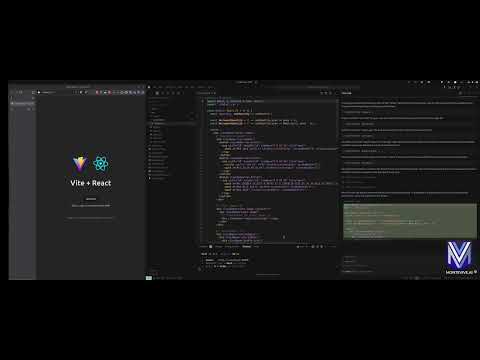](https://www.youtube.com/watch?v=vOMEh-ONN1k)
|
|
|
|
## ✨ Features
|
|
|
|
### 🔌 Core Capabilities
|
|
- **MCP Protocol Implementation**: Full compliance with Model Context Protocol standards
|
|
- **Real-time Design Access**: Direct integration with Penpot's API for live design data
|
|
- **Component Analysis**: AI-powered analysis of design components and layouts
|
|
- **Export Automation**: Programmatic export of design assets in multiple formats
|
|
- **Design Validation**: Automated design system compliance checking
|
|
|
|
### 🛠️ Developer Tools
|
|
- **Command-line Utilities**: Powerful CLI tools for design file analysis and validation
|
|
- **Python SDK**: Comprehensive Python library for custom integrations
|
|
- **REST API**: HTTP endpoints for web application integration
|
|
- **Extensible Architecture**: Plugin system for custom AI workflows
|
|
|
|
### 🎨 AI Integration Features
|
|
- **Claude Desktop & Cursor Integration**: Native support for Claude AI assistant in both Claude Desktop and Cursor IDE
|
|
- **Design Context Sharing**: Provide design context to AI models for better responses
|
|
- **Visual Component Recognition**: AI can "see" and understand design components
|
|
- **Natural Language Queries**: Ask questions about your designs in plain English
|
|
- **IDE Integration**: Seamless integration with modern development environments
|
|
|
|
## 💡 Use Cases
|
|
|
|
### For Designers
|
|
- **Design Review Automation**: Get instant AI feedback on accessibility, usability, and design principles
|
|
- **Component Documentation**: Automatically generate documentation for design systems
|
|
- **Design Consistency Checks**: Ensure brand guidelines compliance across projects
|
|
- **Asset Organization**: AI-powered tagging and categorization of design components
|
|
|
|
### For Developers
|
|
- **Design-to-Code Workflows**: Bridge the gap between design and development with AI assistance
|
|
- **API Integration**: Programmatic access to design data for custom tools and workflows
|
|
- **Automated Testing**: Generate visual regression tests from design specifications
|
|
- **Design System Sync**: Keep design tokens and code components in sync
|
|
|
|
### For Product Teams
|
|
- **Design Analytics**: Track design system adoption and component usage
|
|
- **Collaboration Enhancement**: AI-powered design reviews and feedback collection
|
|
- **Workflow Optimization**: Automate repetitive design operations and approvals
|
|
- **Cross-tool Integration**: Connect Penpot with other tools in your design workflow
|
|
|
|
## 🚀 Quick Start
|
|
|
|
### Prerequisites
|
|
|
|
- **Python 3.12+** (Latest Python recommended for optimal performance)
|
|
- **Penpot Account** ([Sign up free](https://penpot.app/))
|
|
- **Claude Desktop or Cursor IDE** (Optional, for AI integration)
|
|
|
|
## Installation
|
|
|
|
### Prerequisites
|
|
|
|
- Python 3.12+
|
|
- Penpot account credentials
|
|
|
|
### Installation
|
|
|
|
#### Option 1: Install from PyPI
|
|
|
|
```bash
|
|
pip install penpot-mcp
|
|
```
|
|
|
|
#### Option 2: Using uv (recommended for modern Python development)
|
|
|
|
```bash
|
|
# Install directly with uvx (when published to PyPI)
|
|
uvx penpot-mcp
|
|
|
|
# For local development, use uvx with local path
|
|
uvx --from . penpot-mcp
|
|
|
|
# Or install in a project with uv
|
|
uv add penpot-mcp
|
|
```
|
|
|
|
#### Option 3: Install from source
|
|
|
|
```bash
|
|
# Clone the repository
|
|
git clone https://github.com/montevive/penpot-mcp.git
|
|
cd penpot-mcp
|
|
|
|
# Using uv (recommended)
|
|
uv sync
|
|
uv run penpot-mcp
|
|
|
|
# Or using traditional pip
|
|
python -m venv .venv
|
|
source .venv/bin/activate # On Windows: .venv\Scripts\activate
|
|
pip install -e .
|
|
```
|
|
|
|
### Configuration
|
|
|
|
Create a `.env` file based on `env.example` with your Penpot credentials:
|
|
|
|
```
|
|
PENPOT_API_URL=https://design.penpot.app/api
|
|
PENPOT_USERNAME=your_penpot_username
|
|
PENPOT_PASSWORD=your_penpot_password
|
|
PORT=5000
|
|
DEBUG=true
|
|
```
|
|
|
|
## Usage
|
|
|
|
### Running the MCP Server
|
|
|
|
```bash
|
|
# Using uvx (when published to PyPI)
|
|
uvx penpot-mcp
|
|
|
|
# Using uvx for local development
|
|
uvx --from . penpot-mcp
|
|
|
|
# Using uv in a project (recommended for local development)
|
|
uv run penpot-mcp
|
|
|
|
# Using the entry point (if installed)
|
|
penpot-mcp
|
|
|
|
# Or using the module directly
|
|
python -m penpot_mcp.server.mcp_server
|
|
```
|
|
|
|
### Debugging the MCP Server
|
|
|
|
To debug the MCP server, you can:
|
|
|
|
1. Enable debug mode in your `.env` file by setting `DEBUG=true`
|
|
2. Use the Penpot API CLI for testing API operations:
|
|
|
|
```bash
|
|
# Test API connection with debug output
|
|
python -m penpot_mcp.api.penpot_api --debug list-projects
|
|
|
|
# Get details for a specific project
|
|
python -m penpot_mcp.api.penpot_api --debug get-project --id YOUR_PROJECT_ID
|
|
|
|
# List files in a project
|
|
python -m penpot_mcp.api.penpot_api --debug list-files --project-id YOUR_PROJECT_ID
|
|
|
|
# Get file details
|
|
python -m penpot_mcp.api.penpot_api --debug get-file --file-id YOUR_FILE_ID
|
|
```
|
|
|
|
### Command-line Tools
|
|
|
|
The package includes utility command-line tools:
|
|
|
|
```bash
|
|
# Generate a tree visualization of a Penpot file
|
|
penpot-tree path/to/penpot_file.json
|
|
|
|
# Validate a Penpot file against the schema
|
|
penpot-validate path/to/penpot_file.json
|
|
```
|
|
|
|
### MCP Monitoring & Testing
|
|
|
|
#### MCP CLI Monitor
|
|
|
|
```bash
|
|
# Start your MCP server in one terminal
|
|
python -m penpot_mcp.server.mcp_server
|
|
|
|
# In another terminal, use mcp-cli to monitor and interact with your server
|
|
python -m mcp.cli monitor python -m penpot_mcp.server.mcp_server
|
|
|
|
# Or connect to an already running server on a specific port
|
|
python -m mcp.cli monitor --port 5000
|
|
```
|
|
|
|
#### MCP Inspector
|
|
|
|
```bash
|
|
# Start your MCP server in one terminal
|
|
python -m penpot_mcp.server.mcp_server
|
|
|
|
# In another terminal, run the MCP Inspector (requires Node.js)
|
|
npx @modelcontextprotocol/inspector
|
|
```
|
|
|
|
### Using the Client
|
|
|
|
```bash
|
|
# Run the example client
|
|
penpot-client
|
|
```
|
|
|
|
## MCP Resources & Tools
|
|
|
|
### Resources
|
|
- `server://info` - Server status and information
|
|
- `penpot://schema` - Penpot API schema as JSON
|
|
- `penpot://tree-schema` - Penpot object tree schema as JSON
|
|
- `rendered-component://{component_id}` - Rendered component images
|
|
- `penpot://cached-files` - List of cached Penpot files
|
|
|
|
### Tools
|
|
- `list_projects` - List all Penpot projects
|
|
- `get_project_files` - Get files for a specific project
|
|
- `get_file` - Retrieve a Penpot file by its ID and cache it
|
|
- `export_object` - Export a Penpot object as an image
|
|
- `get_object_tree` - Get the object tree structure for a Penpot object
|
|
- `search_object` - Search for objects within a Penpot file by name
|
|
|
|
## AI Integration
|
|
|
|
The Penpot MCP server can be integrated with AI assistants using the Model Context Protocol. It supports both Claude Desktop and Cursor IDE for seamless design workflow automation.
|
|
|
|
### Claude Desktop Integration
|
|
|
|
For detailed Claude Desktop setup instructions, see [CLAUDE_INTEGRATION.md](CLAUDE_INTEGRATION.md).
|
|
|
|
Add the following configuration to your Claude Desktop config file (`~/Library/Application Support/Claude/claude_desktop_config.json` on macOS or `%APPDATA%\Claude\claude_desktop_config.json` on Windows):
|
|
|
|
```json
|
|
{
|
|
"mcpServers": {
|
|
"penpot": {
|
|
"command": "uvx",
|
|
"args": ["penpot-mcp"],
|
|
"env": {
|
|
"PENPOT_API_URL": "https://design.penpot.app/api",
|
|
"PENPOT_USERNAME": "your_penpot_username",
|
|
"PENPOT_PASSWORD": "your_penpot_password"
|
|
}
|
|
}
|
|
}
|
|
}
|
|
```
|
|
|
|
### Cursor IDE Integration
|
|
|
|
Cursor IDE supports MCP servers through its AI integration features. To configure Penpot MCP with Cursor:
|
|
|
|
1. **Install the MCP server** (if not already installed):
|
|
```bash
|
|
pip install penpot-mcp
|
|
```
|
|
|
|
2. **Configure Cursor settings** by adding the MCP server to your Cursor configuration. Open Cursor settings and add:
|
|
|
|
```json
|
|
{
|
|
"mcpServers": {
|
|
"penpot": {
|
|
"command": "uvx",
|
|
"args": ["penpot-mcp"],
|
|
"env": {
|
|
"PENPOT_API_URL": "https://design.penpot.app/api",
|
|
"PENPOT_USERNAME": "your_penpot_username",
|
|
"PENPOT_PASSWORD": "your_penpot_password"
|
|
}
|
|
}
|
|
}
|
|
}
|
|
```
|
|
|
|
3. **Alternative: Use environment variables** by creating a `.env` file in your project root:
|
|
```bash
|
|
PENPOT_API_URL=https://design.penpot.app/api
|
|
PENPOT_USERNAME=your_penpot_username
|
|
PENPOT_PASSWORD=your_penpot_password
|
|
```
|
|
|
|
4. **Start the MCP server** in your project:
|
|
```bash
|
|
# In your project directory
|
|
penpot-mcp
|
|
```
|
|
|
|
5. **Use in Cursor**: Once configured, you can interact with your Penpot designs directly in Cursor by asking questions like:
|
|
- "Show me all projects in my Penpot account"
|
|
- "Analyze the design components in project X"
|
|
- "Export the main button component as an image"
|
|
- "What design patterns are used in this file?"
|
|
|
|
### Key Integration Features
|
|
|
|
Both Claude Desktop and Cursor integration provide:
|
|
- **Direct access** to Penpot projects and files
|
|
- **Visual component analysis** with AI-powered insights
|
|
- **Design export capabilities** for assets and components
|
|
- **Natural language queries** about your design files
|
|
- **Real-time design feedback** and suggestions
|
|
- **Design system documentation** generation
|
|
|
|
## Package Structure
|
|
|
|
```
|
|
penpot_mcp/
|
|
├── api/ # Penpot API client
|
|
├── server/ # MCP server implementation
|
|
│ ├── mcp_server.py # Main MCP server
|
|
│ └── client.py # Client implementation
|
|
├── tools/ # Utility tools
|
|
│ ├── cli/ # Command-line interfaces
|
|
│ └── penpot_tree.py # Penpot object tree visualization
|
|
├── resources/ # Resource files and schemas
|
|
└── utils/ # Helper utilities
|
|
```
|
|
|
|
## Development
|
|
|
|
### Testing
|
|
|
|
The project uses pytest for testing:
|
|
|
|
```bash
|
|
# Using uv (recommended)
|
|
uv sync --extra dev
|
|
uv run pytest
|
|
|
|
# Run with coverage
|
|
uv run pytest --cov=penpot_mcp tests/
|
|
|
|
# Using traditional pip
|
|
pip install -e ".[dev]"
|
|
pytest
|
|
pytest --cov=penpot_mcp tests/
|
|
```
|
|
|
|
### Linting
|
|
|
|
```bash
|
|
# Using uv (recommended)
|
|
uv sync --extra dev
|
|
|
|
# Set up pre-commit hooks
|
|
uv run pre-commit install
|
|
|
|
# Run linting
|
|
uv run python lint.py
|
|
|
|
# Auto-fix linting issues
|
|
uv run python lint.py --autofix
|
|
|
|
# Using traditional pip
|
|
pip install -r requirements-dev.txt
|
|
pre-commit install
|
|
./lint.py
|
|
./lint.py --autofix
|
|
```
|
|
|
|
## Contributing
|
|
|
|
Contributions are welcome! Please feel free to submit a Pull Request.
|
|
|
|
1. Fork the repository
|
|
2. Create your feature branch (`git checkout -b feature/amazing-feature`)
|
|
3. Commit your changes (`git commit -m 'Add some amazing feature'`)
|
|
4. Push to the branch (`git push origin feature/amazing-feature`)
|
|
5. Open a Pull Request
|
|
|
|
Please make sure your code follows the project's coding standards and includes appropriate tests.
|
|
|
|
## License
|
|
|
|
This project is licensed under the MIT License - see the [LICENSE](LICENSE) file for details.
|
|
|
|
## Acknowledgments
|
|
|
|
- [Penpot](https://penpot.app/) - The open-source design and prototyping platform
|
|
- [Model Context Protocol](https://modelcontextprotocol.io) - The standardized protocol for AI model context
|